

From Nick Ross, 4X Microsoft MVP and host of T-Minus 365:
Understand M365. Then take command of every tenant.
You came here to understand something in Microsoft 365. CloudCapsule puts it into practice on every tenant you're responsible for, and keeps it that way, whether that's fifty client tenants or your own.
No credit card. Nothing to install. Results in < 2 minutes.
T-Minus 365 Bonus: 500 Manage seats instead of 250, same flat price.

Running on tenants at MSPs and IT teams today


Double the Manage seats, same flat price.
Manage remediation normally includes 250 users pooled across every tenant you enable it on. If you found CloudCapsule through T-Minus 365, you get 500. Three steps.
Step 1
Start the free trial
From this page. No card, nothing to install, about two minutes.
Step 2
Mention T-Minus 365
Say so on your onboarding call. That's the whole claim process.
Step 3
Add Manage when you are ready
Your account gets 500 Manage users instead of 250, pooled across every tenant you turn it on for. One bonus per CloudCapsule account.
Why I built CloudCapsule
I wrote the checklists for years. Then I built a way to run them on every tenant.
I started T-Minus 365 in 2018 while I was at Pax8, writing down answers to the questions partners kept asking. Since then I've led product at Pax8 and served as VP of Product and CTO at two MSPs. Every guide on the channel was tested on real tenants with real users.
I co-founded CloudCapsule with people from Pax8, Microsoft and the MSP world to lock down Microsoft 365 the way I teach it on T-Minus 365, across every tenant. It scans 300+ controls in about a minute, applies fixes at scale, and watches for drift so each tenant stays the way you left it.
Nick Ross, co-founder of CloudCapsule and four-time Microsoft MVP
How it Works
Watch Overview
Results in 60 Seconds
Run Multi-Tenant Microsoft 365 Security Assessments & Remediations in minutes, not days.
Generating report · about 60 seconds


Read all users' full profiles
Read all users' authentication methods
If you accept, this app will get access to the specified resources for all users in your organization.
Understand & Take Command
Multi-tenant Security Posture Management that stops M365 threats before they start.
01Understand
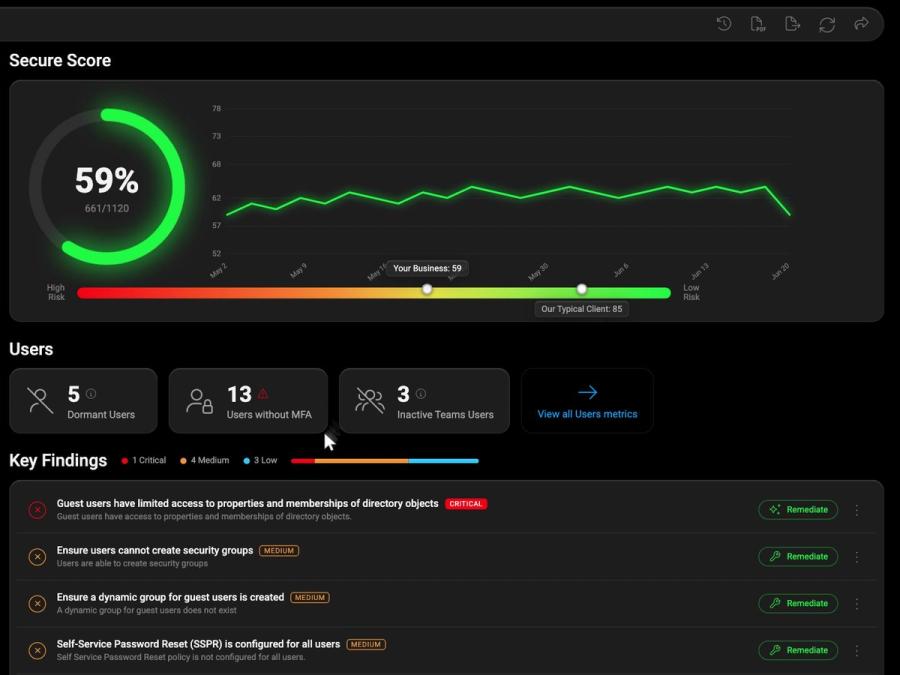
Scan
One tenant can eat a whole day across portals, scripts, and spreadsheets, and the picture is stale before you finish.
- Five portals, scripts, and spreadsheets
- 6–10 hours of review per tenant
- Out of date the moment you finish
- Real checks only after something breaks
02Understand
Map
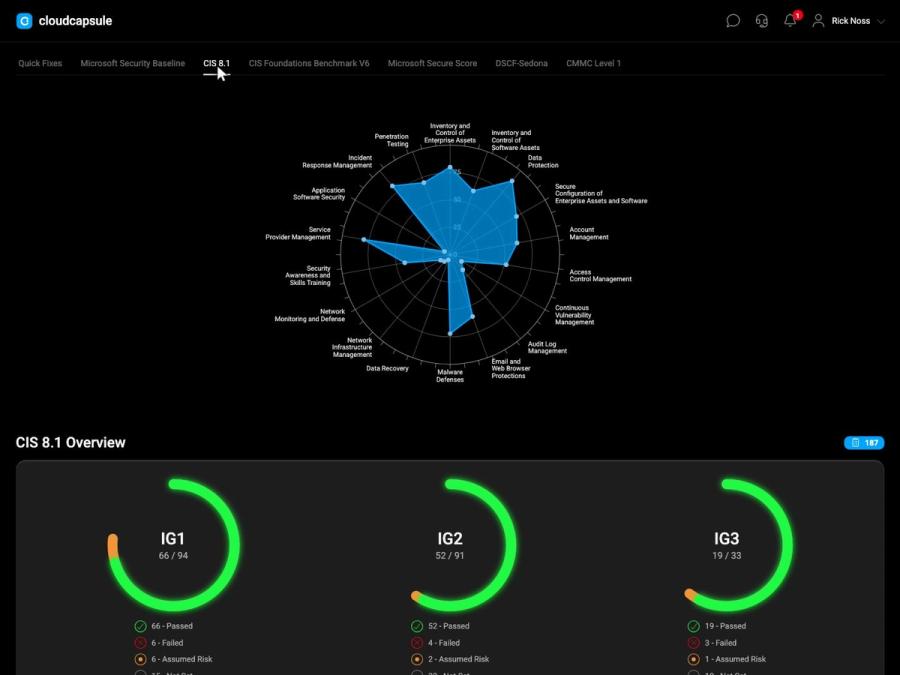
Raw findings with no framework context, no way to separate real risk from noise, and nothing an auditor or insurer will accept.
- No compliance context on any finding
- Hours cross-referencing frameworks by hand
- No idea which gaps actually matter
- Nothing to justify a remediation quote
03Understand
Report
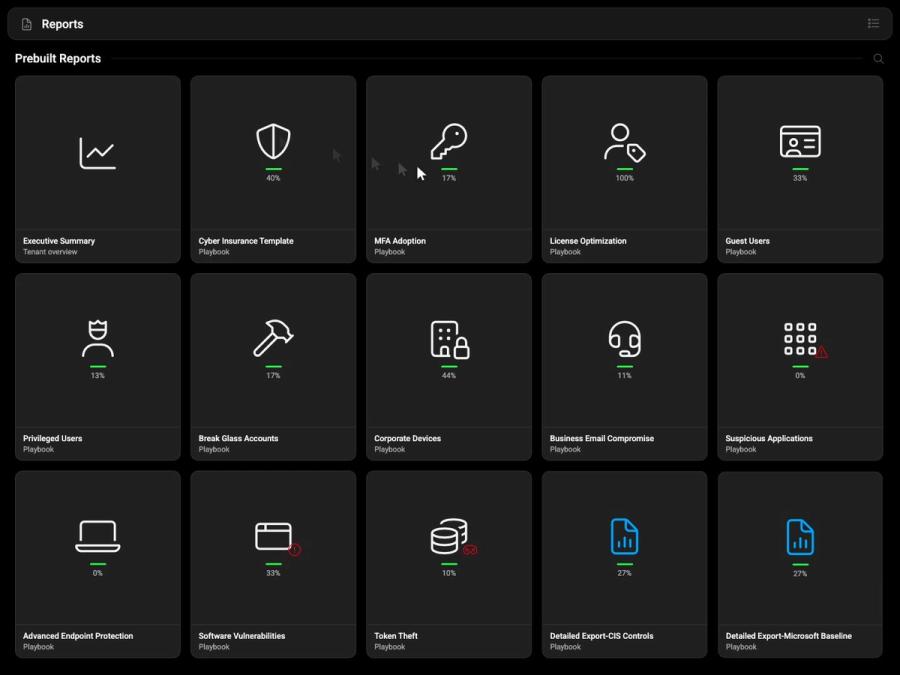
You did the work, but have nothing client-ready to show for it, so every report means hand-built decks and last-minute screenshots.
- No board-ready proof of progress
- Nothing underwriters will accept
- Reports rebuilt by hand every time
- Screenshots pasted the night before
04Take Command
Fix
Remediation is where everything stalls, with weeks of planning per client, every risky change landing on your seniors, one toggle from breaking users.
- Weeks to plan remediation per client
- Every risky change hits your seniors
- Fixes stall and the backlog grows
- One wrong toggle breaks end users
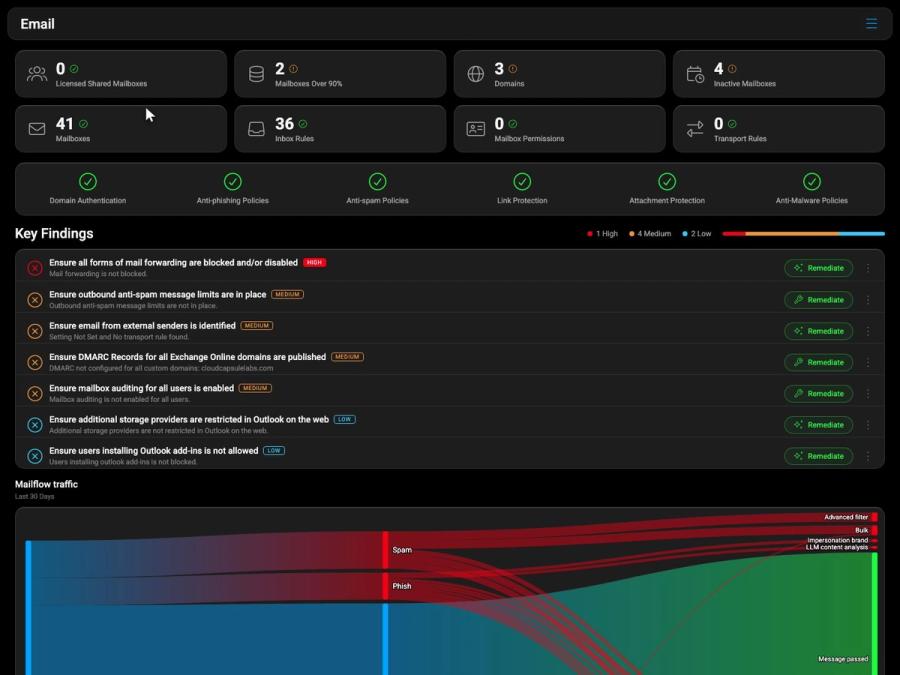
05Take Command
Track
The controls you fixed quietly revert, no alarm fires, and you catch it only at the next manual scan, after the damage is done.
- Fixed controls silently revert
- No alert when posture drops
- Caught only at the next manual scan
- You find out after the damage
06Take Command
Prove
At every QBR the client sees what is still wrong, never the progress you made, so each renewal starts the conversation from zero.
- QBRs show what’s wrong, not what you fixed
- No record of improvement over time
- No audit trail for risk decisions
- Every renewal starts from zero
Plain pricing. Plus the viewer bonus.
Two parts, one flat price each. No per-tenant fees. Start with Analyze; add Manage when you want the fixes and the drift watch.
Analyze
The assessment, on every tenant you run.
Unlimited tenants under 1,000 users each. Enterprise and academic pricing on request.
- 300+ controls, about a minute per tenant
- Mapped to CIS, NIST CSF 2.0 and Essential 8
- Client-ready and white-label reports
- Rerun as often as you like
The free trial includes two assessments. No card.
Manage
Fix what the scan finds, and keep it fixed.
Flat add-on to Analyze. Normally 250 users pooled across the tenants you enable it on, then $1/user/mo.
T-Minus 365 viewer bonus: 500 users included instead of 250. Same flat price.
- 100+ one-click Quick Fixes
- Capsules push a baseline to every tenant
- Drift detection and auto-correction
- Turn it on per tenant, only where it matters
Add it when you are ready. Claim the bonus on your onboarding call.
One platform, every tenant
Take command of Microsoft 365 security
See where every client’s Microsoft 365 security really stands, and exactly what to fix. Start free, or book a walkthrough with our team.
- Assess in 60 seconds
- Remediate at scale
- Proof for every QBR
No credit card. Read-only access; we never store your credentials.
A CloudCapsule Original
Every MSP has a Gary. This one saves the galaxy.
By day he closes tickets. In his head, he's Lt. Gary — last line of defense aboard a vessel under siege, serving under a Commander he'd follow into any firefight. The threats are alien. The MFA prompts are not.